Every June, the Caribbean braces for six months of weather watching. Plywood goes up over windows. Generators get tested. Emergency plans get reviewed. And somewhere in every organization, a quieter question waits to be asked: if a Category 4 cuts through here next week, what happens to our data?
For most Caribbean organizations using Microsoft 365, the assumption is comforting: "It's in the cloud, Microsoft has it covered." That assumption — that Microsoft 365 backup happens automatically — is also the single biggest data-protection blind spot we see. Here's the story of one regional government body that decided not to find out the hard way — and what they did about it.
The Challenge: A Regional Regulator with Critical Public Data
A regional government regulatory commission came to ICT365 with a familiar problem and an unfamiliar deadline. Hurricane season was approaching, ransomware attacks against Caribbean public-sector organizations were trending upward, and the commission's leadership had realized something uncomfortable: their Microsoft 365 environment held hundreds of gigabytes of regulatory records, official email, shared documents, and operational files — and none of it had a true independent backup.
The data lived across the full M365 footprint they relied on every day:
- Exchange Online — years of official correspondence and licensing communications
- OneDrive — personal files, drafts, and working documents from across the team
- SharePoint — departmental sites, regulatory filings, and shared document libraries
If a hurricane took out their primary office, Microsoft's data centres would still be running — that part was fine. But hurricanes weren't the only threat. A successful ransomware attack, an accidental mass deletion, a departing employee whose mailbox got purged, or a compliance demand for records older than M365's native retention windows — any of these would expose the same gap. The commission needed a Microsoft 365 backup strategy that worked independently of Microsoft, was immutable against ransomware, and was actively monitored every day.
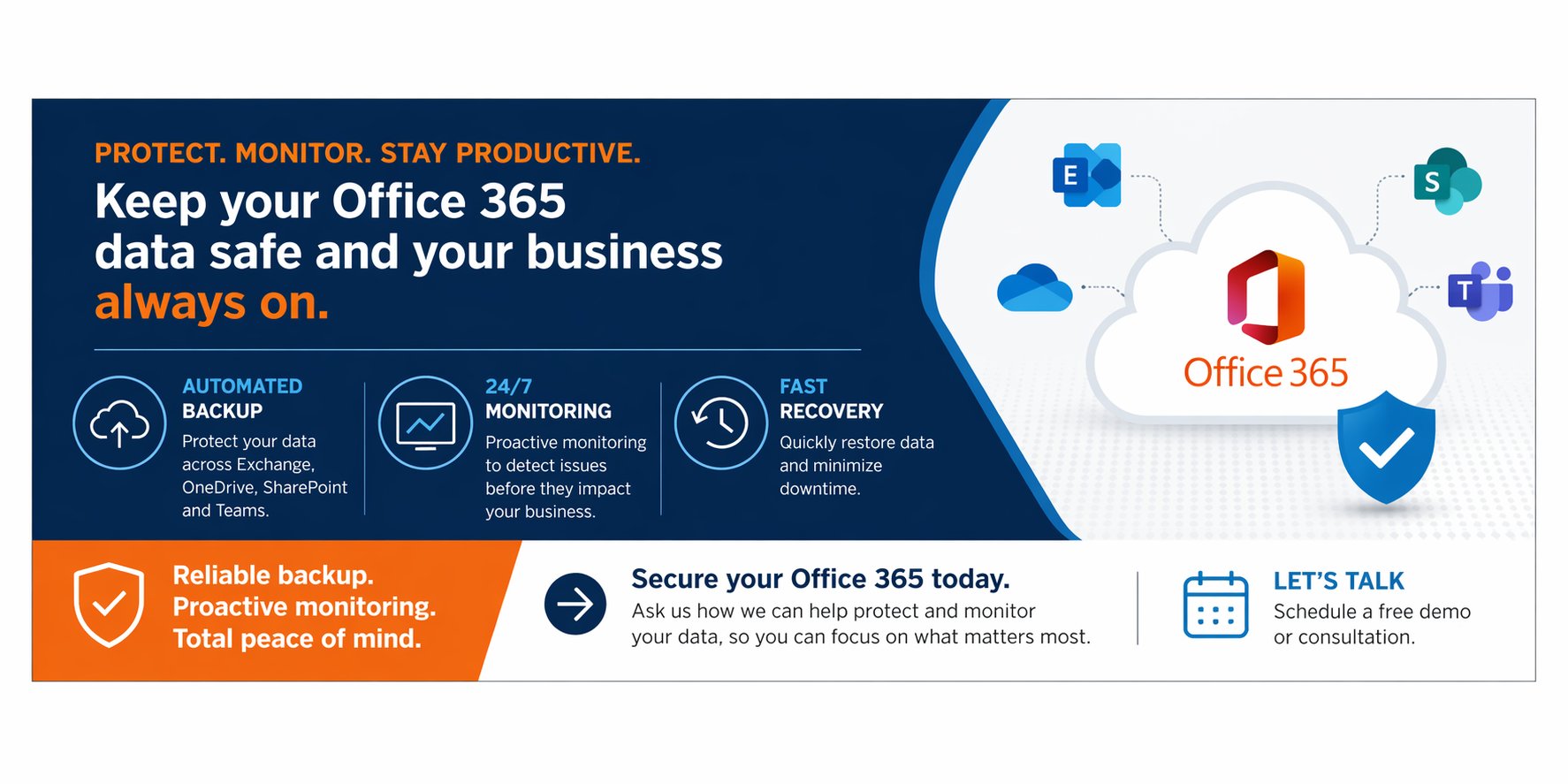
Independent, immutable M365 backup protects against ransomware and hurricane-season disruptions
Why Microsoft 365 Alone Isn't a Backup Strategy
Microsoft 365 operates on a shared responsibility model. Microsoft is responsible for the platform — keeping the servers running and the data centres resilient. They replicate your data across data centres so a hardware failure on their end won't lose your information.
But your data — the emails, files, sites, and conversations that actually run your organization — is your responsibility. Microsoft says so directly. Their own service documentation recommends that customers regularly back up their content using a third-party app or service. Native retention features (recycle bin, version history, retention policies) are convenience features, not backups. They're designed for short-term, narrow recovery — not for ransomware events, long-term compliance retention, or the kind of rebuild scenario a major incident demands.
What Microsoft covers:
- Platform uptime and hardware resilience
- Data replication across Microsoft's own data centres
- Short-term recovery via recycle bin and version history (typically 30–93 days)
What Microsoft doesn't cover:
- Ransomware that encrypts your live tenant data
- Accidental or malicious mass deletion beyond retention windows
- Compliance-driven long-term retention
- Independent recovery outside the Microsoft platform
According to independent analysis, a significant number of Microsoft 365 data loss events stem from user error, ransomware, and misconfiguration — none of which Microsoft's platform protections address.
The Solution: Independent, Immutable, Monitored M365 Backup
ICT365 designed and deployed a complete Microsoft 365 backup service tailored to the commission's requirements. The architecture protects data across Exchange, OneDrive, and SharePoint — capturing copies daily and storing them in an independent cloud repository, separate from the M365 environment they're protecting.
M365 data is captured from across the environment and stored in an independent, encrypted, immutable repository — outside Microsoft's platform.
The backup engine is built on Veeam Backup for Microsoft 365 — the industry-standard platform for M365 data protection — and runs against a tuned backup policy aligned with the commission's Recovery Point Objectives. Retention is configured to support both day-to-day recovery and long-term regulatory requirements that go well beyond what M365 native retention can offer.
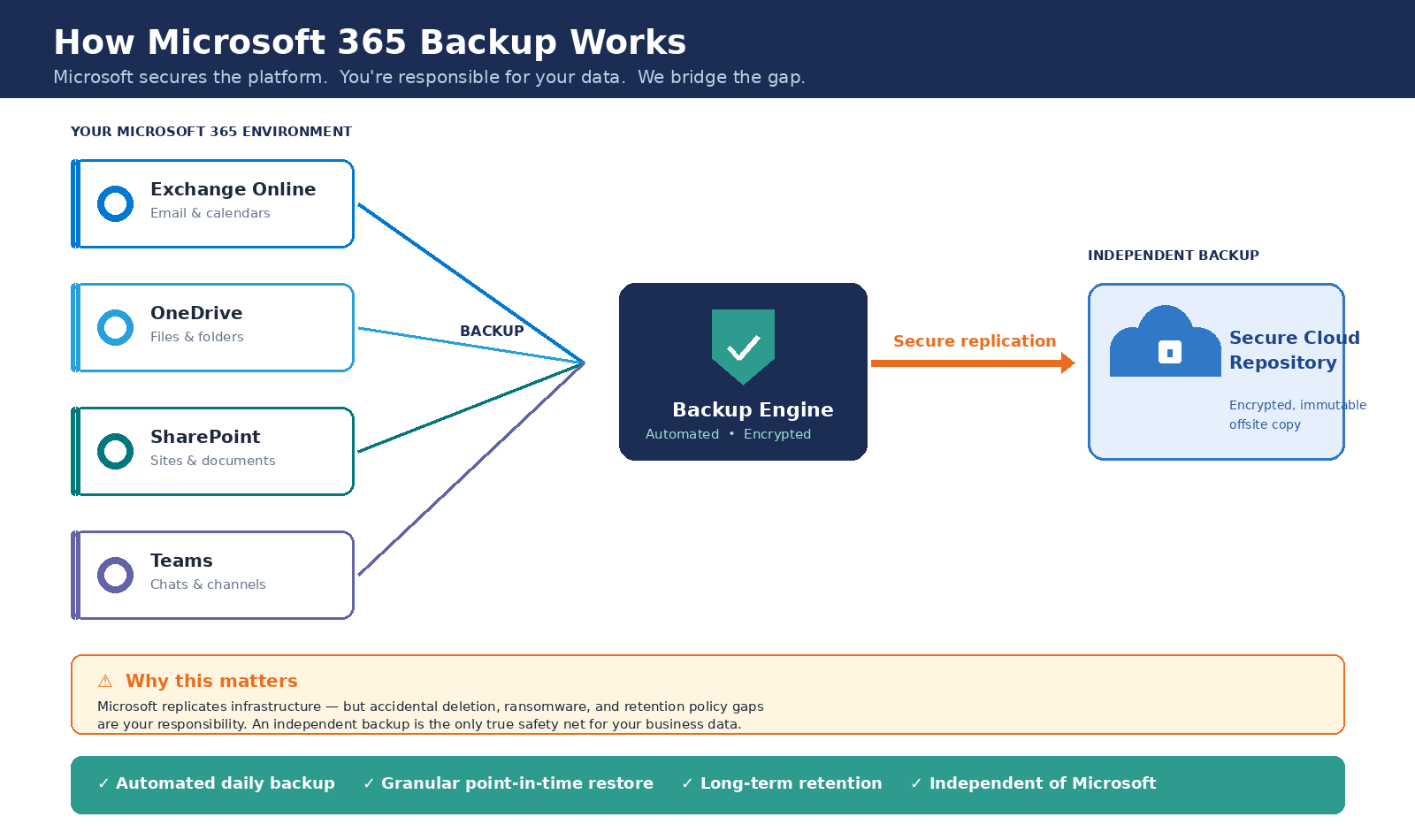
The backup architecture: M365 data captured daily into an immutable, independent cloud repository
Why Immutable Backup Is Non-Negotiable
Of the design decisions made on this project, none was more important than immutability. Modern ransomware doesn't just encrypt your live data — it actively hunts for your backups first. Attackers know that an organization with working backups will refuse to pay. So they target the backups, encrypt or delete them, and only then unleash the encryption on your production environment.
An immutable backup cannot be encrypted, altered, or deleted — not by ransomware, not by a compromised administrator account, not by anyone — for a defined retention period. Once a backup is written, it's locked. It will still be there, exactly as it was, when you need it.
For a government regulator, this isn't just good practice — it's the difference between recovering in hours and being held hostage. Cyber insurers are increasingly requiring immutable backups as a condition of coverage. Compliance frameworks expect them. And every Caribbean public-sector organization that has made the news for a ransomware attack in recent years has shared the same root issue: backups that weren't truly out of the attacker's reach.
The Three Pillars of the Solution
Independent Cloud Repository
Backup data lives in a separate cloud environment with no connection to the Microsoft 365 tenant being protected. A compromised M365 account cannot reach it.
Immutable Storage
Every backup written to the repository is locked for the configured retention period. Ransomware, malicious insiders, and accidental deletions cannot alter or remove it.
Daily Monitoring by ICT365
A backup that fails silently for six months is worse than no backup at all — it's a false sense of security. That's why the commission's solution didn't stop at deployment. It included an ongoing daily monitoring SLA delivered by ICT365's team.
Every day, ICT365 reviews backup job results, investigates any failures or warnings, and resolves them before they become tomorrow's problem. The commission's internal team doesn't have to remember to check. They don't get a flood of cryptic alerts at 3am. They get a quiet, well-protected M365 environment — and a partner watching it for them.
The Outcome: Confidence Before the Storm
By the time the project wrapped, the commission had moved from quiet concern to demonstrable resilience:
- All Microsoft 365 data — Exchange, OneDrive, SharePoint — protected by independent daily backup, separate from the M365 environment
- Backups stored in immutable cloud storage, ensuring ransomware cannot encrypt or delete the recovery copies
- Retention policies aligned with regulatory and operational requirements — well beyond M365 native limits
- Backup integrity validated through structured restore testing before go-live
- A documented backup policy outlining the strategy, retention settings, and recovery methods, ready for audit and compliance review
- A daily monitoring SLA from ICT365 — ongoing oversight so failures get caught and resolved, not discovered too late
Why ICT365?
Microsoft 365 backup is straightforward in theory and easy to get wrong in practice. Choosing the right retention model, configuring immutability properly, validating restores, and actually monitoring the result every day — that's where the value sits. ICT365 brings:
- Local expertise — Cayman Islands-based, with deep understanding of Caribbean infrastructure, hurricane-season risk, and regulatory requirements across the region
- M365 specialists — Specialists in the Microsoft 365 ecosystem, with certified engineers who design and deploy what they recommend
- Proven track record — Successful delivery of complex IT projects across government, education, and enterprise sectors
- Managed service — Daily backup monitoring, ongoing support, and a real partnership — not a one-time deployment. See ICT365's full managed IT services at https://ict365.ky/services/managed-it.
Frequently Asked Questions
Does Microsoft back up Microsoft 365 data?
No. Microsoft protects their platform — keeping servers running and replicating data across their own data centres to prevent hardware failures. But emails, files, and SharePoint content are the customer's responsibility to back up. Microsoft's own service documentation recommends using a third-party backup service for M365 data.
What is immutable backup and why does it matter?
An immutable backup can't be changed, deleted, or encrypted after it's written — not even by ransomware or a compromised administrator account. It stays exactly as it was until the retention period expires. For ransomware protection, immutability is the difference between paying a ransom and restoring from clean backup in hours.
What does a Microsoft 365 backup cover?
A complete M365 backup protects Exchange Online (email and calendar), OneDrive (personal files), SharePoint (team sites and document libraries), and Microsoft Teams. ICT365's solution covers all of these, capturing daily backups to an independent cloud repository fully outside the M365 environment.
How quickly can M365 data be restored?
Individual items — a single email, a deleted file, a SharePoint folder — can typically be restored within minutes using ICT365's Veeam-based backup. Full-environment recovery starts immediately from the independent repository, without waiting on Microsoft support queues.
Is M365 backup required for compliance in the Cayman Islands?
Many regulatory frameworks and cyber insurance policies now require independent data backups. Cayman Islands government bodies and regulated entities often face retention requirements that exceed M365's native limits. ICT365 configures retention policies aligned to specific compliance obligations.
The Best Time to Plan for the Storm Is Before It Forms
Whether the threat is a Category 4 making landfall, a ransomware crew probing your perimeter, or a single deletion that goes unnoticed for too long — the value of a real Microsoft 365 backup only becomes obvious at the moment you need it. By then, it's too late to set one up.
ICT365 will assess your organization's current Microsoft 365 protection at no cost, identify the gaps, and help you decide what level of backup makes sense for your environment, your compliance posture, and your risk tolerance. No pressure, no obligation — just a clear picture of where you stand.
ICT365 – Delivering IT Solutions Across the Caribbean
Worried about your organisation's M365 protection ahead of hurricane season? ICT365 offers a free Microsoft 365 backup readiness review. Visit https://ict365.ky/contact to schedule yours.
Client name has been intentionally removed from this case study to protect confidentiality. References are available upon request.